








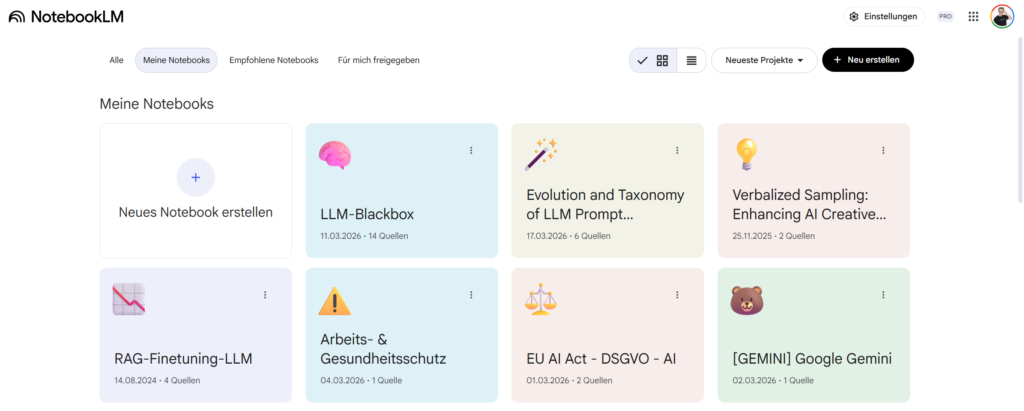
Since we enjoy conducting academic research, I’d like to introduce you to the best AI tool for the job: NotebookLM by Google. As of late March 2026, the base model behind NotebookLM is Google’s Frontier model Gemini 3.1 Pro. In this post, I’ll explain when and for what purposes we use NotebookLM versus when we use Gemini 3.1 Pro directly in the Gemini app—or other Frontier models like those in ChatGPT or Claude. How does the NotebookLM architectural constraint help? Before I properly answer these questions, let’s take a quick look at the tool. What exactly is NotebookLM?
NotebookLM is, as mentioned, Google’s AI research tool. But you can also use it for studying, preparing for lectures and seminars, and more: You upload sources—PDFs, websites, YouTube videos, Google Docs, and much more—and the tool works exclusively with them. You can upload up to 50 sources to a single notebook.
What NotebookLM can do with your sources:
- Audio Overview – generates a podcast-style audio dialogue based on your sources
- Presentation – creates slides from the source material
- Video overview – visually summarizes video content
- Mind Map – visualizes relationships between concepts
- Reports – generates structured reports
- Flashcards – creates flashcards from the material
- Quiz – generates questions to test understanding
- Infographic – creates visual summaries
- Data table – extracts and structures data in tabular form
All of this works quite well and makes NotebookLM ideal for academic research, quickly getting oriented in new sources, and taking structured notes on them.

Why NotebookLM hallucinates less – “Source Grounding”
NotebookLM is a closed system. Web access is only available when searching for new sources. Answers should be based exclusively on your sources. Google calls this “Source Grounding.”
This works great. Independent tests show a hallucination rate of only about 13% for NotebookLM, while rates are much higher for pure Frontier models that aren’t optimally prompted. As mentioned, NotebookLM is based on Google’s Gemini 3.1 Pro model. Frontier or Foundation models themselves achieve similarly low hallucination rates (like Gemini in NotebookLM) for source-based tasks—between 10 and 16%. That sounds comparable. But the difference lies in the 𝗪𝗜𝗘: For open-ended knowledge questions without grounding, hallucination rates in non-optimally prompted models rise to 30–45%. Source grounding makes a huge difference.
Nevertheless, 13% hallucinations in NotebookLM amount to a lot of “lies.” Here, Gemini’s “probabilistic world knowledge” occasionally seeps through—in phrasing, in summaries, sometimes in details that aren’t actually in your source. (Please, don’t forget. Language models are still language models, not knowledge databases. The knowledge of language models is probabilistic: statistically speaking, a language model most frequently outputs the information on a topic with which it was trained the most.) The key advantage, however, is this: In NotebookLM, Source Grounding is the tool’s core architecture. The system is built to use only your sources.
With Gemini, Claude, or ChatGPT, you can also upload documents to “ground” the model. But to achieve a hallucination rate of ONLY 13%—lower than with NotebookLM—you have to prompt the model optimally. Here, “grounding” is optional behavior, not a core system design. You need to know how to prompt it. And even then, the model mixes source knowledge with training knowledge because that’s exactly what it was built to do.
Hence my tip for working with NotebookLM:
“𝗪𝗮𝘀 𝘀𝗮𝗴𝘁 𝗱𝗶𝗲𝘀𝗲𝘀 (𝗵𝗼𝗰𝗵𝗴𝗲𝗹𝗮𝗱𝗲𝗻𝗲) 𝗣𝗮𝗽𝗲𝗿 ü𝗯𝗲𝗿 𝗫?“ → 𝗡𝗼𝘁𝗲𝗯𝗼𝗼𝗸𝗟𝗠.
“Erkläre mir X.” → 𝗚𝗲𝗺𝗶𝗻𝗶, 𝗖𝗹𝗮𝘂𝗱𝗲, 𝗖𝗵𝗮𝘁𝗚𝗣𝗧.

- NotebookLM is a librarian who knows only the books on his desk—and that is precisely his strength.
- ChatGPT, Claude, and Gemini are librarians with access to thousands upon thousands of books. You need them when you have questions about the entire body of world knowledge.
The right question for the right tool. That’s the whole trick.