








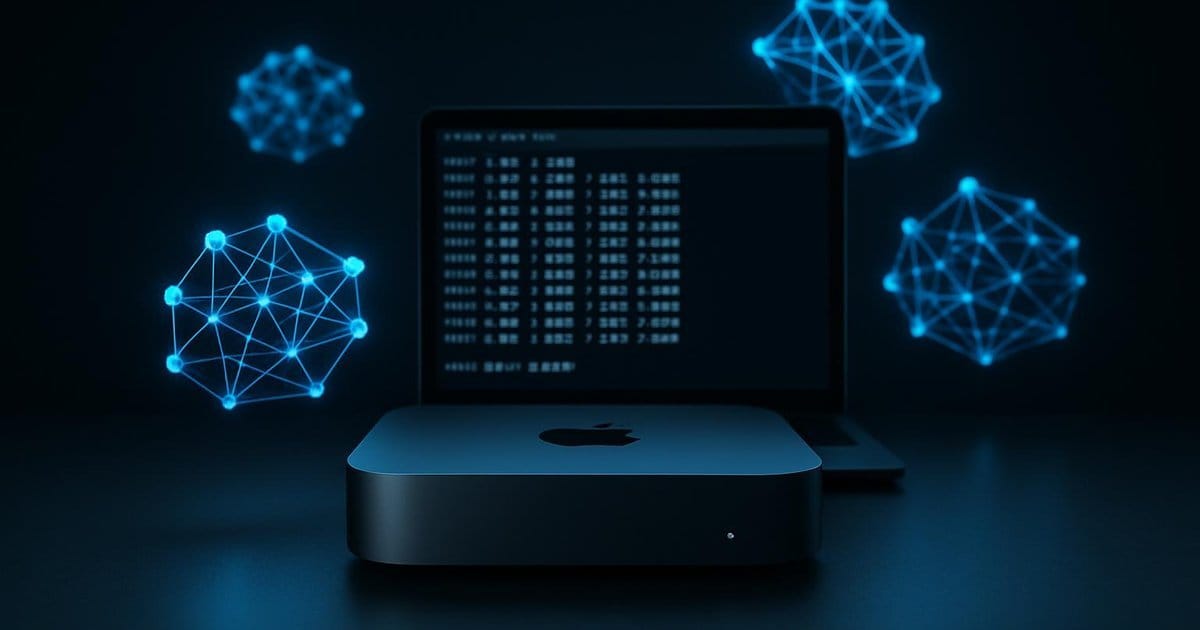
If you want to work seriously with AI models without sending your data to OpenAI, Google, or Anthropic, you need a local solution. The Mac Mini with Apple Silicon is one of the most compelling options on the market for this purpose—compact, quiet, energy-efficient, and, thanks to Unified Memory, surprisingly powerful. With Ollama, you can set up a full-fledged AI stack in under ten minutes: no account, no API key, no cloud. This guide shows you how to do it—and where the limits lie.
Why the Mac Mini Is the Ideal Local AI Platform
Most consumer laptops and desktop PCs have a critical bottleneck when it comes to local AI models: RAM is tied to the CPU, the GPU has its own VRAM—and communication between the two is slow. Apple Silicon solves this with Unified Memory: the CPU and GPU share the same RAM pool, which is connected via high-bandwidth. This means a Mac Mini with 16 GB can keep models with several billion parameters entirely in memory while leveraging the GPU’s computing power—without data transfer over a bus.
This isn’t marketing; it’s a genuine architectural advantage. An M3 Pro Mac Mini achieves around 28 tokens per second on Llama 3.1 8B — a figure that feels smooth in everyday use. Even the older M1 still delivers about 12 tokens per second, which is sufficient for most tasks. The M4 Mac Mini, available since late 2024, takes it a step further: a faster Neural Engine, higher memory bandwidth, and 16 GB of unified memory even in the base model.
There are also practical considerations: The Mac Mini consumes less than 10 watts when idle, is silent, and can be run continuously as a home server without any issues. So if you want to run an AI infrastructure that’s available 24/7—such as a personal assistant on your home network—you’ll find an excellent foundation here. And unlike a dedicated GPU server, you don’t need a five-figure investment to do so.
Install Ollama and launch your first model
Ollama is an open-source tool that manages and runs LLMs locally. It handles downloading the model weights, quantization, loading into memory, and provides a simple API. On macOS, installation is incredibly easy:
brew install ollama
After that, start the Ollama service in the background:
ollama serve
And load the first model—for example, Llama 3.2:
ollama pull llama3.2
Once the download is complete, you can interact with the model directly in the terminal:
ollama run llama3.2
That’s it. No API key, no login, no internet connection required (after the one-time download). The entire inference process runs locally on the Mac Mini — requests never leave the device.
For 16-GB systems, we also recommend a set of environment variables that optimize memory usage and improve performance:
export OLLAMA_FLASH_ATTENTION=1
export OLLAMA_KV_CACHE_TYPE=q8_0
export OLLAMA_KEEP_ALIVE=10m
export OLLAMA_MAX_LOADED_MODELS=1
OLLAMA_FLASH_ATTENTION=1 Enables Flash Attention, which significantly reduces memory requirements for longer contexts. OLLAMA_KV_CACHE_TYPE=q8_0 Quantizes the KV cache and saves additional RAM. OLLAMA_MAX_LOADED_MODELS=1 Ensures that only one model is loaded at a time — important when memory is tight. These variables can be permanently added to .zshrc or .bashrc so that they are active at every startup.
Starting with version 0.14.0, Ollama also supports an Anthropic-compatible API endpoint at /v1/messages — the same endpoint exposed by the Anthropic API. In practice: tools and scripts built against the Anthropic API can be redirected to a local Ollama instance with a single configuration line:
import anthropic

client = anthropic.Anthropic(
    base_url="http://localhost:11434",  # lokale Ollama-Instanz
    api_key="ollama",                   # beliebiger Platzhalter
)

message = client.messages.create(
    model="gemma3:12b",
    max_tokens=1024,
    messages=[{"role": "user", "content": "Erkläre den Unterschied zwischen RAG und Fine-Tuning."}],
)
print(message.content[0].text)
This is particularly useful for developers who build prototypes using cloud models and later want to switch to local inference—without touching the code. Important caveat: Tool calling and some advanced parameters are not yet fully supported. For simple chat workflows, the endpoint works reliably.
Which models for which purpose? (Comparison for 16 GB and 24 GB)
Model selection depends directly on available RAM. As a rule of thumb: A model must fit entirely into memory for the GPU to accelerate it. Anything that doesn’t fit is offloaded to the CPU—which is significantly slower.
16 GB Unified Memory:
This is the base configuration of the M4 Mac Mini. Gemma 3 12B QAT is a strong choice—but not universally suitable for everything. QAT (Quantization-Aware Training) preserves more model quality than conventional post-training quantization, which is particularly noticeable in reasoning tasks and longer contexts. On an M4, the model achieves around 20–25 tokens/s. For pure text summarization or writing assistance, Llama 3.2 8B is fully sufficient with ~35 tokens/s and shorter loading times. Qwen2.5 7B is a strong alternative for code assistance. Gemma 4 (e2b/e4b) runs on Ollama 0.20+ and is primarily relevant for multimodal tasks.
Qwen2.5 35B can in principle be loaded with 16 GB via memory mapping (mmap), but runs slower than with a full RAM fit. Anyone who wants to work regularly with 30B+ models should consider the 24-GB variant.
24 GB Unified Memory:
With 24 GB, a significantly larger window opens up. Mistral Large, Qwen2.5 32B, DeepSeek-R1 32B, or Gemma 3 27B fit entirely and run with good token rates. For code-intensive tasks, Qwen2.5-Coder 32B is a strong option. With 24 GB, you’re well-equipped for the vast majority of practical open-weight models—without having to rely on a cloud API.
A quick guide to model size: Quantized models with Q4 quantization require roughly 0.5 GB per billion parameters. An 8B model in Q4 thus needs about 4–5 GB, a 32B model around 18–20 GB.
Open WebUI: The chat interface for Ollama
The terminal is handy for quick tests, but a graphical interface is more convenient for daily use. Open WebUI is the best-known option—a ChatGPT-like interface that works directly with a local Ollama instance. To be honest: Open WebUI is a very good frontend layer, not a complete production system. Conversation histories, system prompts, document uploads, on-the-fly model switching—it all works well. Anyone who needs RAG pipelines, agents, or team setups with access permissions will sooner or later hit the limits of a simple Docker configuration. For individual users and initial experiments, however, it’s the best open-source option available. Setup:
docker run -d -p 3000:80
  --add-host=host.docker.internal:host-gateway
  -v open-webui:/app/backend/data
  --name open-webui
  ghcr.io/open-webui/open-webui:main
Afterward, the interface is accessible at http://localhost:3000 . Open WebUI automatically detects the running Ollama instance, displays all available models, and offers features such as conversation histories, system prompts, document uploads, and on-the-fly model switching.
If you want to make Open WebUI accessible to multiple devices on your home network, simply point it to the local IP address of the Mac Mini instead of localhost. HTTPS security via a reverse proxy (e.g., Caddy) is recommended as soon as the service needs to be accessible beyond the local network.
A practical side effect: Open WebUI also supports external API endpoints—so you can integrate cloud models alongside your local Ollama instance and directly compare which model performs better for a specific task.
Limitations and Weaknesses: What Local AI Can’t Do (Yet)
Local AI models are a real tool—but not a substitute for everything. There are clear limitations you should be aware of before setting your expectations too high.
Quality threshold: The most powerful open-weight models—Llama 3.3 70B, Qwen2.5 72B, DeepSeek-R1 32B—have caught up significantly in 2025/26 and outperform older cloud generations in many benchmarks. The problem: these models cannot be run effectively on 16 GB of RAM. With 12B models, you’re at a solid level for routine tasks. For complex multi-step reasoning, consistently very long contexts, or up-to-date knowledge queries, the gap to current frontier models like Claude Sonnet 4 or GPT-5 mini is clear. This isn’t a fundamental failure—it’s the honest limit of what’s possible with 16 GB.
RAM as a major bottleneck: Model size is directly limited by available memory. Anyone working with a 16 GB Mac Mini cannot meaningfully run 70B models. Upgrading to more RAM is not possible on a Mac Mini after purchase—the decision must be made at the time of purchase.
No Internet access: Local models have no knowledge of current events after their training cutoff and cannot independently search the web. For news, current data, or real-time information, either a RAG pipeline (Retrieval-Augmented Generation) or a cloud service is required.
Initial setup effort: While installation is simple, navigating model selection, quantization levels, context lengths, and environment variables requires a learning curve. Anyone who simply wants to “use AI” without delving into the details is better off with ChatGPT or Claude.
Power consumption during inference: Even though the Mac Mini is energy-efficient when idle, power consumption increases significantly under load with a 12B model. Anyone planning to run the Mac Mini as a 24/7 AI server should factor this into their calculations.
These limitations do not fundamentally diminish the benefits of local AI. They merely define the scope of application: privacy-sensitive tasks, routine work such as text summarization or code assistance, offline scenarios, and experimental projects—this is the terrain where local models on the Mac Mini have their place.
Conclusion
The Mac Mini with Apple Silicon is not a toy platform for local AI. It is a serious, everyday solution for anyone who wants control over their data without sacrificing AI support. Ollama makes getting started as easy as possible: one command to install, one command to load, and it’s up and running immediately. Open WebUI provides a user-friendly interface on top. And most importantly: not a single byte leaves your own network.
If you start with a 16-GB M4 Mac Mini, you have a strong foundation with Gemma 3 12B QAT or Llama 3.2—for everything from writing assistance to code review to translations. Those who configure 24 GB are in a league of their own and can run models that would have required data center hardware just two years ago.
Local AI is no longer a niche topic. It is a realistic alternative—at least for a large portion of the tasks that people delegate to cloud AI every day.
🎼
The Doctor’s Opinion
Ollama on the Mac Mini is the most sensible thing you can do with 700 francs in the AI space — and at the same time, a quiet protest against the subscription model of the big platforms. Anyone who thinks you can’t get usable AI quality without the cloud has missed the last twelve months of open-source development. The catch remains: as soon as things get really complex, you notice the gap to the state-of-the-art models—and it’s not small.